What the gain control actually does
A recording level is not simply a measure of how loud an actor sounds on set. It reflects how strongly the microphone’s signal is amplified before the recorder stores it. Input gain, sometimes called trim, sets that amplification. Too little gain can leave dialogue needlessly quiet; too much can overload part of the recording path when someone raises their voice.
The right setting begins with microphone placement. A boom that is close enough for clear dialogue, without entering the frame, usually delivers a more useful signal than a distant microphone whose gain has been turned up. Raising gain also raises whatever the microphone hears: room tone, traffic, clothing noise, and reverberation. It cannot make a poorly placed microphone sound close.
Reading the meter and leaving headroom
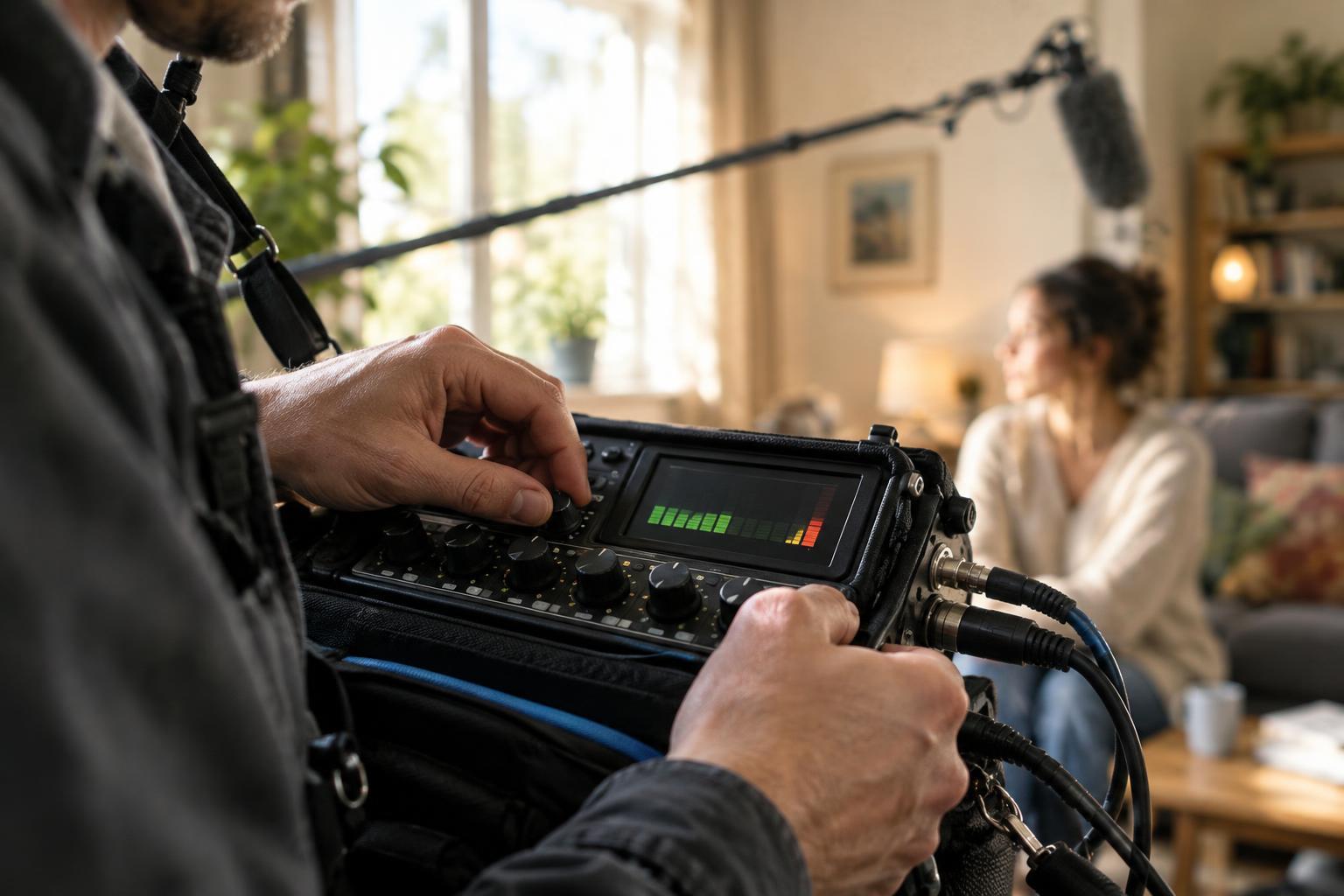
Digital recorders commonly show level in dBFS, or decibels relative to full scale. On that scale, 0 dBFS is the ceiling: a recorded signal cannot go higher without some form of overload or alteration. Most dialogue should sit below it. The unused space between a normal peak and that ceiling is headroom, reserved for a shout, laugh, sharp consonant, or other surprise.
Ask performers for a rehearsal at something close to their intended delivery, including the loudest moment in the scene. Set input gain so those peaks remain comfortably below the top of the meter. There is no single number that suits every recorder and performance, but peaks around the low negative teens on a dBFS meter can be a useful starting point for dialogue. Watch the peak display, not just the average-looking movement, and listen while you adjust.
Quiet-looking meters are not automatically a problem. Modern recording workflows generally allow a clean, moderately low recording to be raised during editing. An unexpectedly loud take that has clipped is much harder to repair. The aim is a healthy signal with room to move, not a meter that stays as close to zero as possible.
Clipping can happen before the recorded file
Clipping is the harsh distortion that can occur when a signal exceeds what a stage can handle. A file whose waveform reaches the digital ceiling may have flattened peaks, but the meter is not the whole story. A loud source can overload a microphone, a wireless transmitter, or a recorder’s input before the recorder writes the file. Turning down a later control may make the meter look safe while the distortion remains audible.
This distinction matters with wireless lavaliers. If the transmitter input is overloaded by an actor’s voice, lowering the receiver output or recorder gain will not restore the missing detail. Check the level controls and indicators at each stage you can access. Likewise, moving a microphone away from an extremely loud source may help when the microphone itself is struggling.
A limiter can catch some sudden peaks, and a safety track recorded at a lower level can provide another option in the edit. Neither should replace listening and sensible gain settings. A limiter cannot undo distortion that happened before it, and a backup track is only useful if the signal feeding it is clean.
A repeatable level-setting routine
Before a take, confirm the intended microphone is routed to the intended track and that the recorder is receiving a signal. Put on headphones and listen for hum, rustle, wind, and room noise while watching the meter. Have the performer deliver the scene’s loudest line, then adjust input gain with headroom in mind. If the microphone position changes, check the level again.
During the take, keep listening. A visible peak may reveal an overload, but headphones can catch problems a meter cannot identify, such as a lavalier brushing fabric or a boom drifting off-axis. If the delivery becomes louder than rehearsed, note the take and adjust before the next one where practical. Afterward, play back a short portion through the recorder rather than relying only on what you heard during recording.
Consistent sound comes from treating levels as one part of the recording chain. Place the microphone well, set gain for the performance, leave room for surprises, and check both the meter and the sound. Those habits give an editor a cleaner starting point than a perfectly tall waveform with distortion baked in.