Why the picture alone is not enough
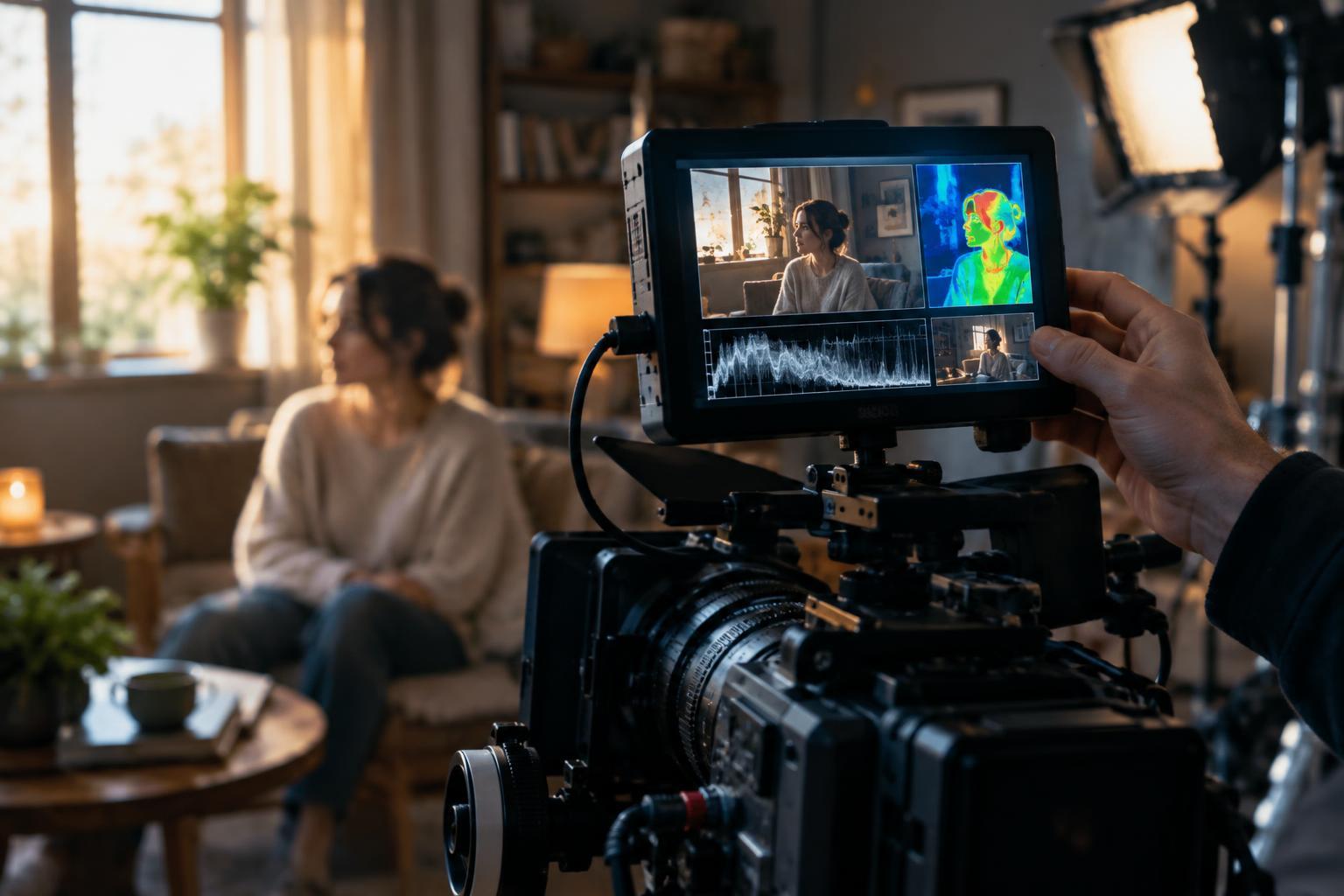
A camera display is useful for judging composition and mood, but it is not a dependable exposure meter by itself. Screen brightness, viewing angle and surrounding light can all change how the image appears. A waveform and a false-color display give you another way to inspect the video signal while you work. They do not decide what a scene should look like; they help you see whether the exposure you intend is reaching the recording.
Before relying on either tool, find out what signal it receives. A monitor might analyze the camera’s log output, a display LUT, or an image with a different viewing transform. Those choices can make the same shot produce different-looking readings. Check the camera and monitor settings, then keep that monitoring path consistent as you compare shots.
Reading the waveform
A waveform plots the image’s brightness as a graph. Its horizontal position generally corresponds to the left and right sides of the frame; its vertical position shows signal level. A bright window on the right side of the image, for example, should create a higher trace toward the right side of the graph. A luma waveform emphasizes brightness, while an RGB waveform shows the red, green and blue channels separately. The RGB view can reveal a channel approaching its limit even when the overall image does not look obviously clipped.
The scale may be labeled in IRE or another signal-level range, but a number has meaning only in the context of the signal being displayed. Log images, standard display images and HDR monitoring do not place tones identically. Rather than memorizing one value for every camera, learn the expected levels for the camera profile and monitoring setup you are using. Watch especially for important highlights bunching against the upper boundary or shadow detail collapsing at the lower boundary. A flat edge may indicate clipping, though the display transform and waveform settings can affect what you see.
Reading false color
False color replaces the normal picture with colors assigned to ranges of signal brightness. It can make the face, background and practical lights easy to compare at a glance. Unlike the waveform, which summarizes levels across the frame, false color shows where each range appears within the image. That makes it particularly useful when you need to check whether a face changes exposure as an actor moves through a pool of light.
There is no universal false-color palette. One monitor’s green may mark a different range from another monitor’s green, and some tools analyze a LUT-applied image while others analyze the underlying signal. Open the legend for the specific device and confirm what its colors represent before treating any one color as a target. Skin tone also varies with complexion, lighting and creative intent, so a face does not have to occupy a single prescribed color. Use the display to compare intended relationships, not to flatten every scene into the same exposure.
A practical check before rolling
Start with the normal image. Decide what matters in the shot: perhaps a face must retain detail, a window may go bright, and a dark wall should still have texture. Set the camera profile and monitoring LUT you plan to use, then look at the waveform. Identify which part of the trace belongs to each important area by briefly reframing, pointing to a reference surface, or watching a person move within the frame. Check whether anything essential is pressed against either end of the scale.
Switch to false color to inspect the same areas in place. Is the face consistently within the range you intended? Does a bright prop move into a warning range? If the result is wrong, adjust lighting, camera exposure or framing according to the priorities of the shot. You might lower a bright window, add light to a face, or accept a clipped lamp as part of the composition. Recheck after each meaningful change, and repeat the check when the actor’s position or the lighting changes.
Use the tools together, then trust the scene
Waveforms are good at showing the overall distribution of signal levels and the possibility of clipping. False color is good at locating those levels on the subjects and objects you care about. Neither can tell you whether a silhouette feels dramatic or a soft highlight suits the story. A technically unclipped image can still be poorly lit, while an intentional patch of pure white or deep black can work perfectly well.
The most useful habit is to make an exposure decision before studying the displays, then use them to test that decision. Keep track of whether you are viewing log or a transformed image, use the same setup for comparisons, and pay attention to the parts of the frame that need to survive into the edit. In that role, waveforms and false color become practical checks rather than rules that override your eye.